How Load Balancers Actually Work
A beginner friendly explanation of traffic distribution, health checks, routing and failure.
Imagine 100,000 people entering through one door
Imagine a stadium.
There are 100,000 people outside.
There are ten entrances.
If everyone uses the same entrance, you have a problem.
The other nine entrances may be empty.
The first entrance becomes crowded.
People wait.
The system slows down.
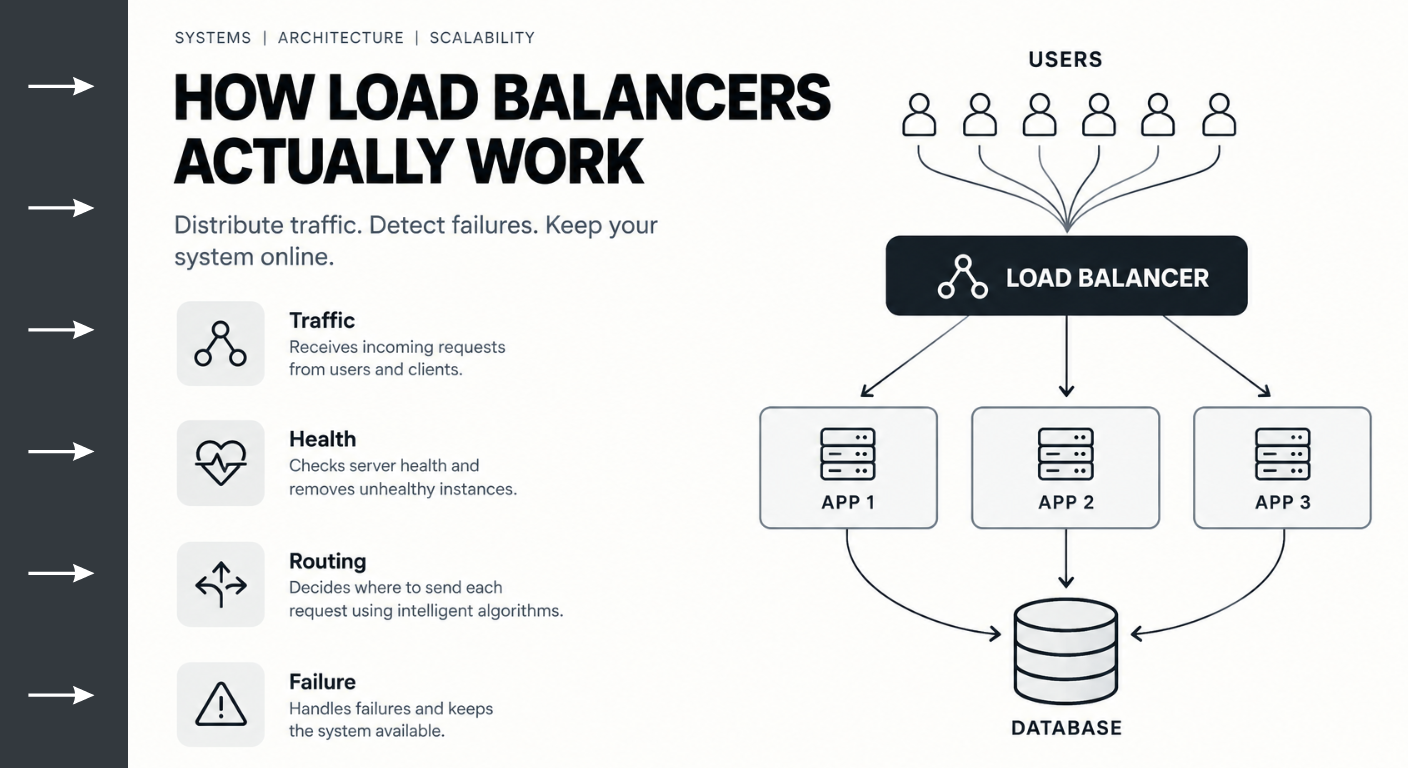
A load balancer solves a similar problem for software systems.
Instead of sending every request to one server, it distributes requests across multiple servers.
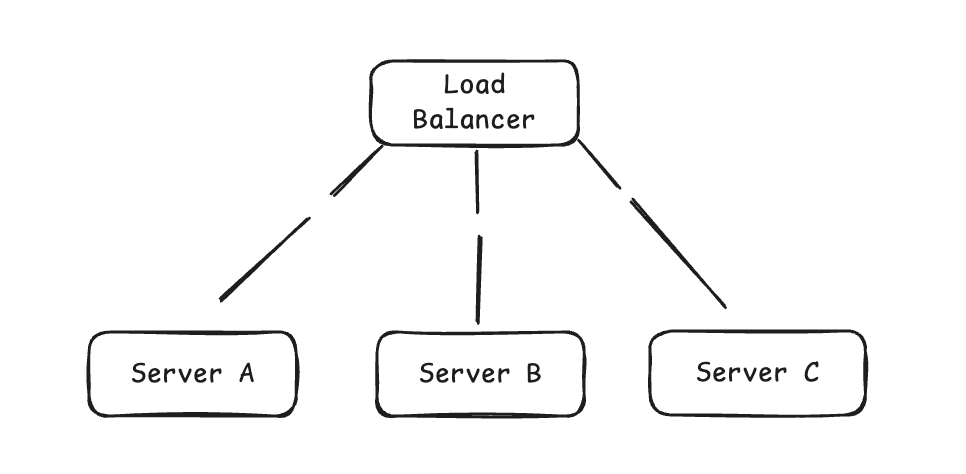
That is the basic idea.
But real load balancing is much more interesting.
Why do we need multiple servers?
Suppose your application has one server.
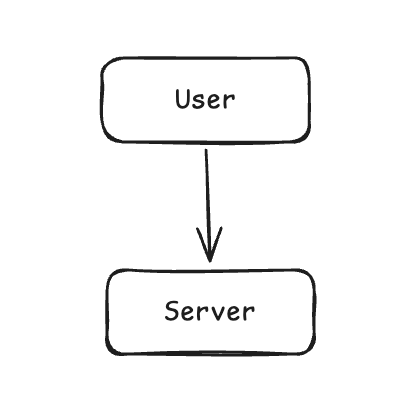
Initially, this might work perfectly.
Then traffic grows.
100 users.
1,000 users.
10,000 users.
Eventually the server reaches its capacity.
You have two options.
Make the server bigger.
Or add more servers.
The second approach is called horizontal scaling.
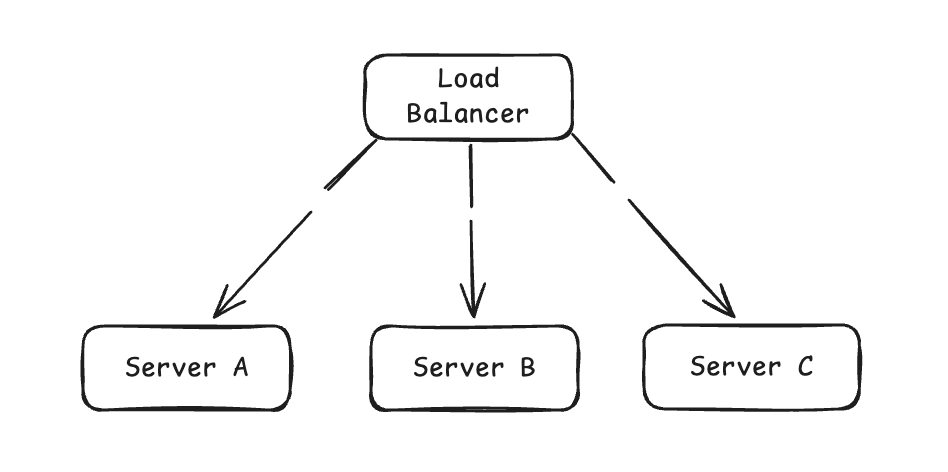
Now traffic can be distributed.
What does the load balancer actually do?
At a basic level:
Client
  ↓
Load Balancer
  ↓
Application Server
The client does not necessarily need to know which application server handled the request.
The load balancer becomes the traffic entry point.
It receives the request.
It decides where the request should go.
It forwards the request.
The server processes it.
The response comes back.
But how does it choose a server?
This is where algorithms come in.
Round Robin
The simplest approach.
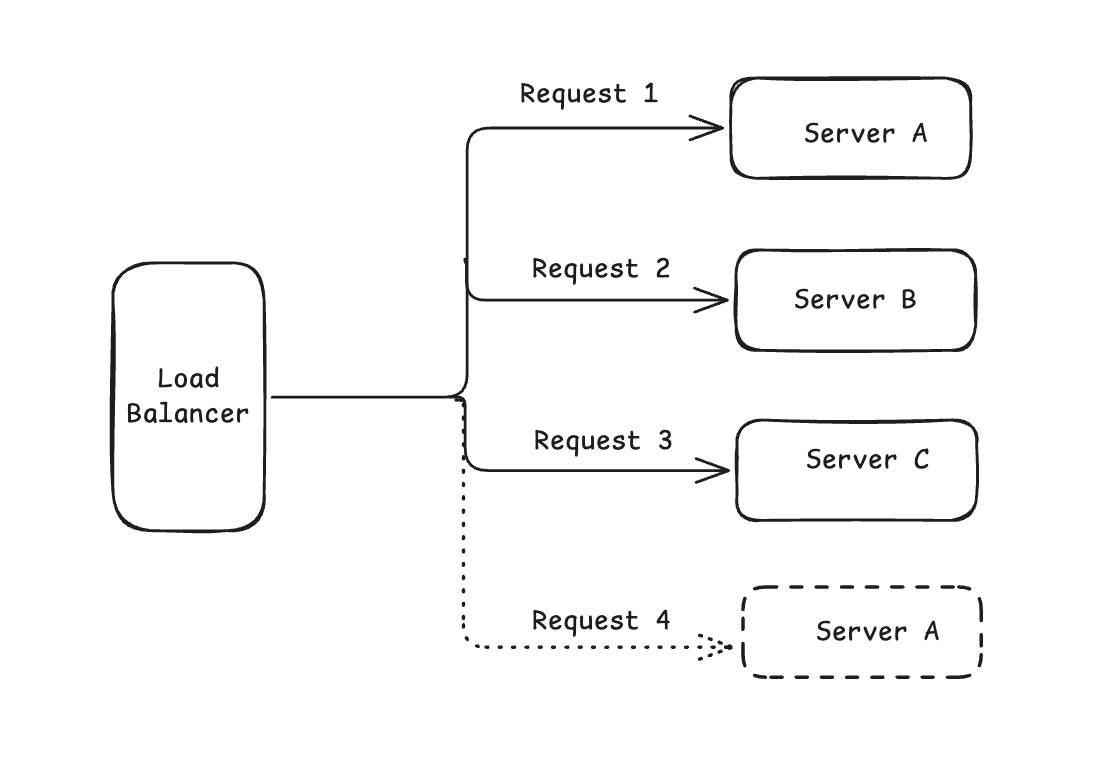
It cycles through servers.
Simple.
But it assumes servers have similar capacity and requests have similar cost.
That assumption is not always true.
Weighted Round Robin
Suppose:
Server A has 8 CPU cores.
Server B has 4.
Server C has 2.
You might want:
Server A → 50%
Server B → 30%
Server C → 20%
The load balancer can assign traffic based on weights.
Least Connections
Instead of counting requests, the load balancer looks at active connections.
For example:
Server A → 100 connections
Server B → 30 connections
Server C → 50 connections
A new request might go to Server B.
This can be useful when requests have different processing times.
What happens when a server dies?
This is one of the most important jobs of a load balancer.
Suppose:
Server A → Healthy
Server B → Healthy
Server C → Failed
The load balancer should stop sending traffic to Server C.
How does it know?
Health checks.
Health checks
The load balancer periodically checks servers.
For example:
GET /health
A healthy response might be:
200 OK
If the server repeatedly fails health checks, it can be removed from the traffic pool.
This gives us:
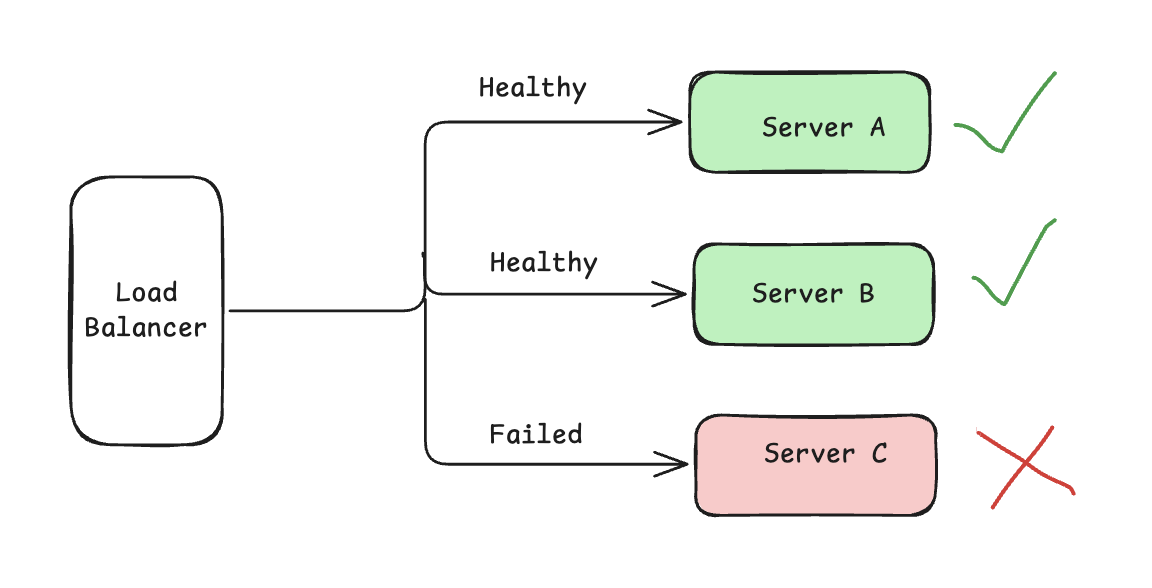
The user may never know that Server C failed.
That is one of the benefits of redundancy.
But health checks are not magic
Imagine the server responds:
200 OK
But its database connection pool is exhausted.
Is the server actually healthy?
This is where health check design becomes important.
A shallow health check may only verify:
"Is the process alive?"
A deeper health check may verify critical dependencies.
But checking every dependency can also create problems.
If the database has a temporary issue, suddenly every server might appear unhealthy.
So health checks themselves need thoughtful design.
Layer 4 and Layer 7 load balancing
Load balancers can operate at different networking layers.
Layer 4
Layer 4 works primarily with network information such as:
• IP address
• TCP
• Port
It does not need to understand the application request deeply.
Layer 7
Layer 7 understands application level information such as:
• HTTP
• URL path
• Headers
• Cookies
• Hostname
For example:
/api/orders → Order Service

/api/payments → Payment Service

/api/users → User Service
This makes Layer 7 routing much more powerful.
Load balancing is not only about traffic
It can also provide:
• Health checking
• TLS termination
• Routing
• Connection management
• Failover
• Rate limiting in some architectures
• Session handling
• Service discovery integration
The exact capabilities depend on the architecture and product.
What happens during a traffic spike?
Suppose normal traffic is:
1,000 requests/sec
Then a marketing campaign starts.
Traffic becomes:
10,000 requests/sec
If you have only one server, it may struggle.
With multiple servers:
             Load Balancer
          /    /    |    \
         ↓    ↓     ↓     ↓
        S1   S2    S3    S4
Traffic can be distributed across the fleet.
But here is an important systems thinking lesson:
A load balancer does not make an unlimited system scalable.
It only moves the constraint.
The hidden bottleneck
Suppose you have:
Load Balancer
      ↓
10 Application Servers
      ↓
One Database
The application layer can scale.
The database may not.
You could increase the application servers from 10 to 100.
But if all 100 servers depend on one database, the database may become the constraint.
This is why architecture needs systems thinking.
Scaling one component does not automatically scale the system.
The real model
Think about the entire path:
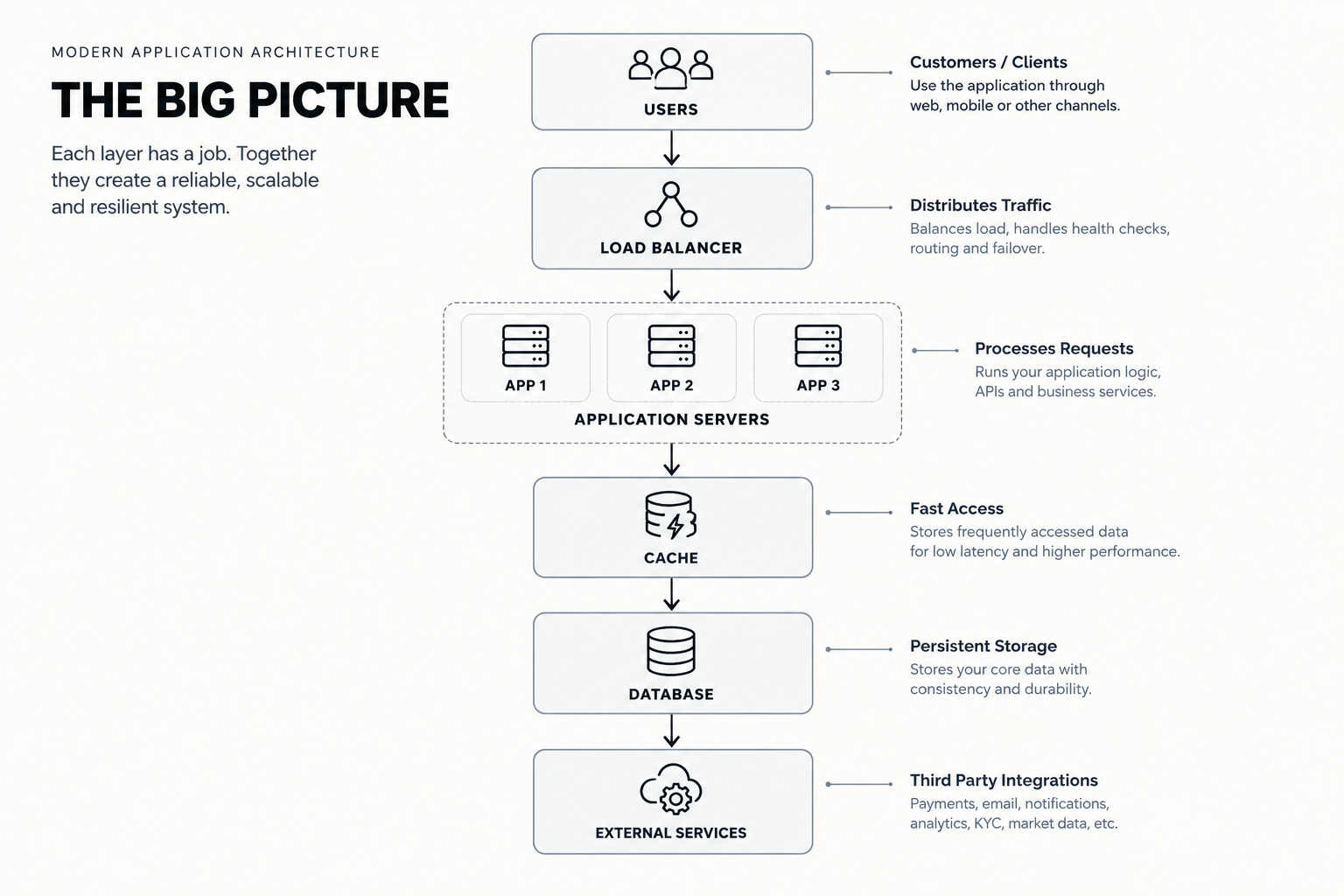
Every layer has:
• Capacity
• Latency
• Failure modes
• Dependencies
• Scaling characteristics
The system's behavior emerges from all of them.
The deeper lesson
When you learn load balancing, don't memorize:
"Round Robin distributes requests."
Ask:
Why do we need distribution?
What happens if one server fails?
What determines whether a server is healthy?
What happens when traffic becomes uneven?
What happens if the database becomes the bottleneck?
What happens when a request takes much longer than another request?
Those questions move you from technology knowledge toward architecture thinking.
Think in Systems
A load balancer is not simply a networking component.
It is part of a larger system designed to manage capacity, availability and failure.
That is the mindset I explore in Think in Systems.
Complex problems. Simple systems. Better outcomes.